

Playback
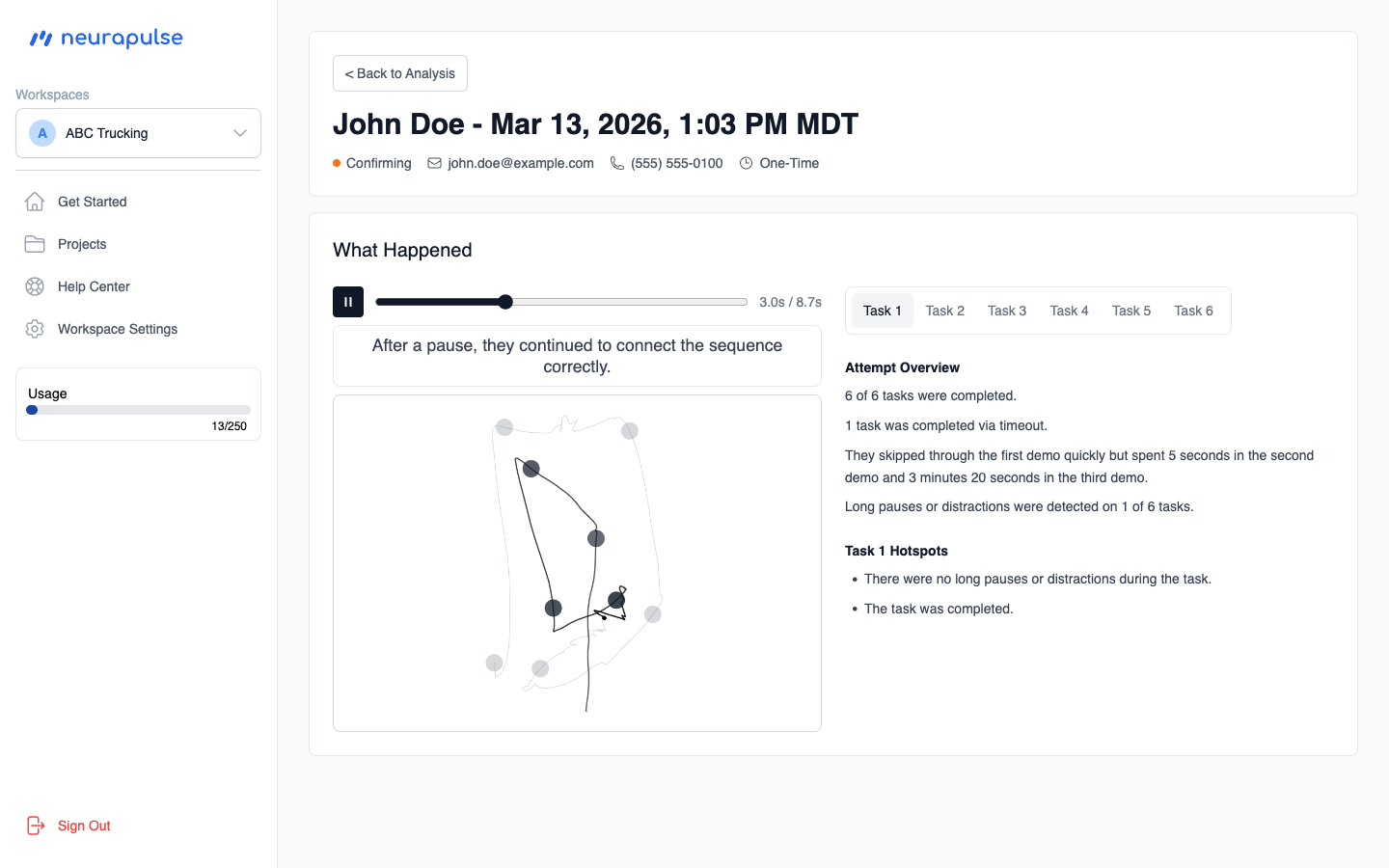
The left side of the page features a player that replays the test taker’s pen or touch movements during each task. You can play, pause, and scrub through the recording to review what happened at any point during the attempt. Below the player, a text area describes what is happening at each moment during playback.Tasks
On the right side, numbered buttons let you switch between the six tasks:- Tasks 1 and 2 focus on simple reaction time
- Tasks 3 and 4 measure attention
- Tasks 5 and 6 measure executive function
- All six tasks measure control
Attempt Overview
Below the task buttons, an overview paragraph summarizes the key findings from the attempt in plain language, covering what went well and what may need attention (for example, the test taker didn’t spend enough time to understand the instructions if it was their first time).Watch the playback while reading the overview to see exactly where and when
each finding occurred. Use the scrubber to jump directly to the relevant moment.