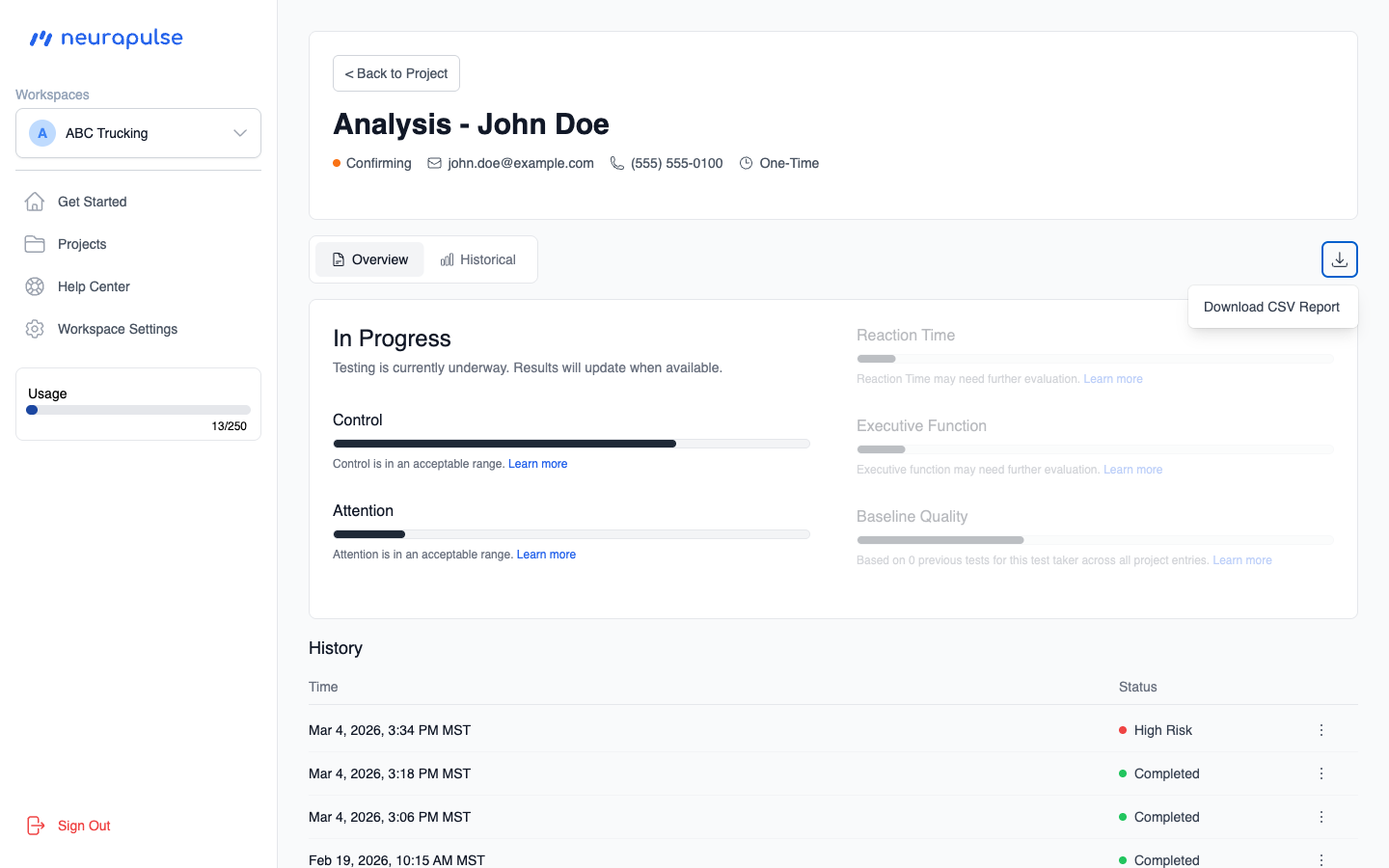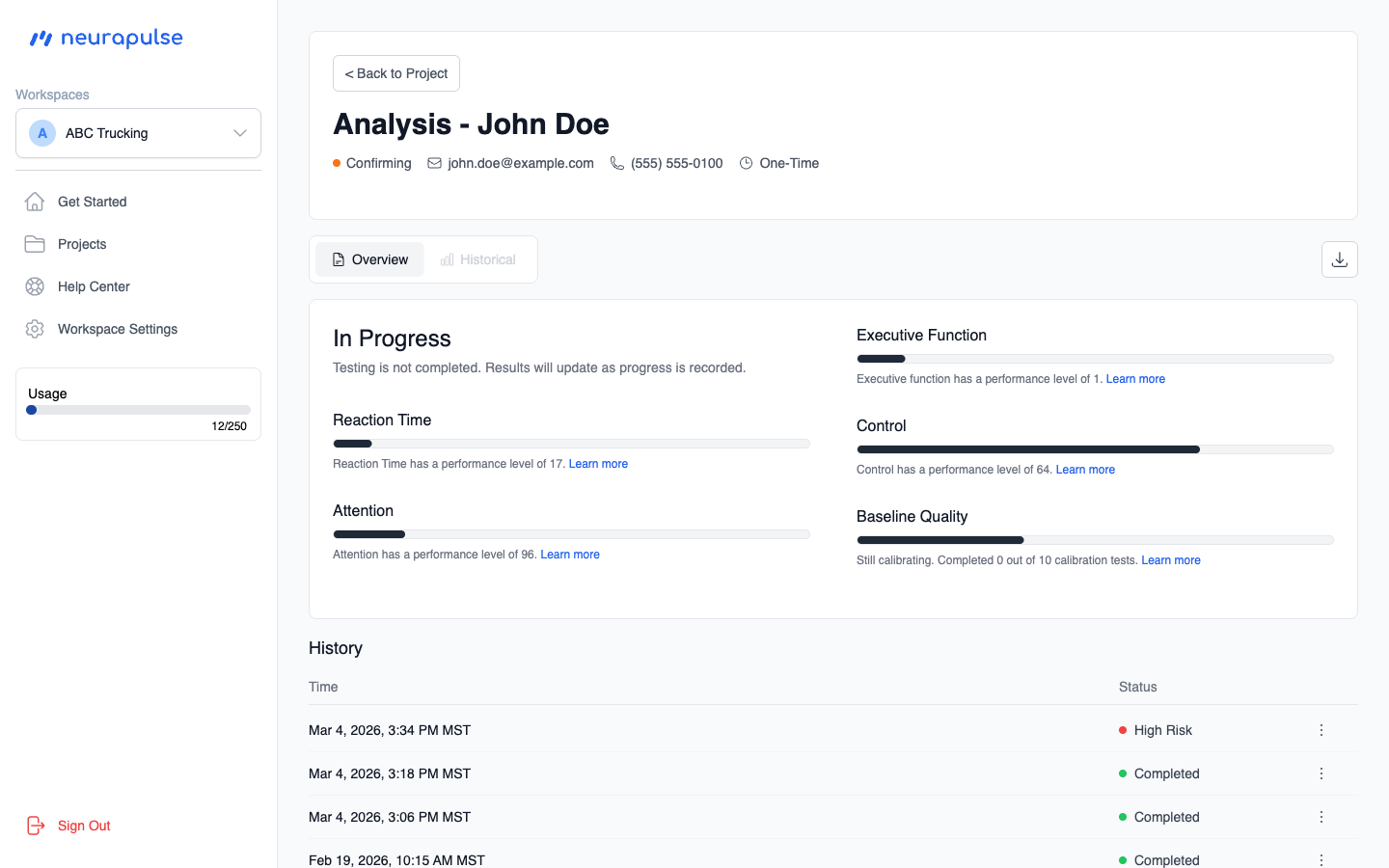
Overview
At the top, you’ll see the test taker’s name, current status, and contact information. Below that, a summary heading indicates their overall standing based on their cognitive scores — such as Good Standing, Needs Review, or Attention Required. If the test is still in progress, the heading will reflect the current status instead (e.g., “In Progress” or “Confirming”). Four cognitive domains are displayed as progress bars:- Control — Ability to regulate physical responses
- Attention — The cognitive domain of sustained and directed focus
- Reaction Time — Speed of response to stimuli
- Executive Function — Higher-order cognitive planning and flexibility
Historical
Switch to the Historical tab to view trend charts for each cognitive domain over time.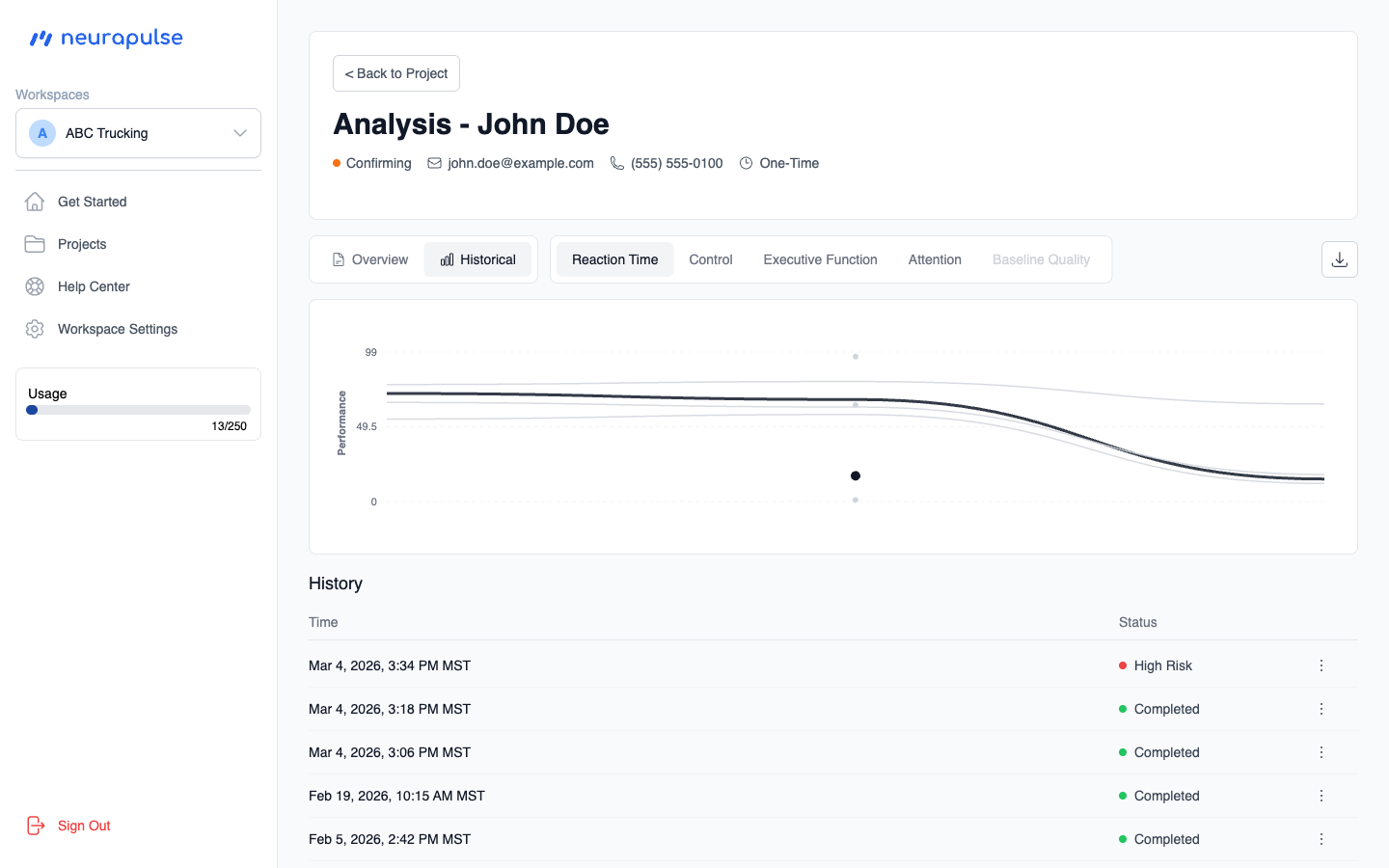
History Table
Below the tabs, the history table lists all test attempts. Each row shows the date, status, and a link to the detail page for that attempt. You can download a CSV report of all results using the download button in the top right.